
Download Echo Now AI – AI Slack Assistant, Smart Summaries & Quick Answers
Overview
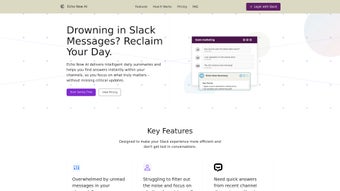
Echo Now AI is an innovative, subscription‑based AI assistant that lives directly inside Slack, turning noisy channels into concise, actionable insights. By leveraging the latest large‑language‑model techniques, Echo Now AI creates daily summaries tailored to each user’s recent activity, ensuring that critical updates, decisions, and tasks never get lost in the chat stream. The tool also offers a “Ask‑Me‑Anything” feature that pulls context from the most recent 50 messages, delivering accurate answers in seconds.
For teams that rely on external databases, APIs, or custom tools, Echo Now AI supports the Model Context Protocol (MCP), allowing seamless interaction with those resources through natural language conversations. Privacy is baked into the architecture: only message metadata is retained, and no raw content is stored long‑term, giving organizations confidence that sensitive information stays secure. Whether you’re a project manager juggling multiple workspaces, a developer needing quick code snippets, or a sales leader tracking deal pipelines, Echo Now AI streamlines Slack communication, reduces context‑switching, and boosts overall productivity.
Key Features
- Personalized Daily Summaries – Generates a concise recap of each channel based on the user’s own activity, highlighting unread messages, action items, and important announcements.
- Context‑Aware Q&A – Uses the latest 50 messages to answer questions instantly, eliminating the need to scroll through long threads.
- Model Context Protocol (MCP) Integration – Connects to external tools, databases, and APIs, enabling natural‑language commands like “Create a Jira ticket” or “Pull the latest sales numbers”.
- Privacy‑First Architecture – Stores only metadata, never raw message content, ensuring compliance with GDPR, CCPA, and internal security policies.
- Cross‑Workspace Compatibility – Works across multiple Slack workspaces and channels, providing a unified experience for users who belong to several teams.
- Real‑Time Notifications – Pushes alerts for high‑priority updates directly to the user’s Slack sidebar, so nothing critical is missed.
- Customizable Summary Settings – Users can define the time window, priority tags, and keyword filters that shape their daily digest.
- Seamless Updates – Automatic, secure updates guarantee that the latest AI models and security patches are always in place.
Installation & Usage Instructions
Compatibility
Echo Now AI is a cloud‑based service that integrates with the Slack desktop app, web client, and mobile apps on Windows, macOS, Android, and iOS. Because the processing happens on Echo Now AI’s servers, there are no heavy local dependencies, making the tool lightweight and fast on any device that runs Slack.
Step‑by‑Step Installation
- Visit the Slack App Directory: Search for “Echo Now AI” and click Add to Slack.
- Authorize Permissions: Grant the app access to read channel metadata, post messages, and retrieve the latest 50 messages for context‑aware queries.
- Choose a Subscription Plan: Select the monthly or annual plan that fits your team size. A 14‑day free trial is available for new users.
- Configure Personal Settings: After installation, open the Echo Now AI DM, run
/echo‑setup, and customize summary frequency, preferred channels, and keyword filters. - Enable MCP Integrations: In the settings panel, connect external APIs (e.g., Jira, Salesforce, Google Sheets) by providing API keys or OAuth tokens. Echo Now AI will automatically map commands to the appropriate endpoints.
- Start Using the Assistant: Once configured, you’ll receive a daily summary each morning and can ask questions at any time using
/echo‑ask [your question]. The assistant will reference the most recent messages to give a precise answer.
For teams that require strict onboarding policies, administrators can use Slack’s Enterprise Grid to push Echo Now AI to all members with a single policy, ensuring consistent adoption across the organization. Ongoing usage is simple: the assistant works in the background, sending notifications only when a summary or an answer is ready. If you ever need to pause the service, a quick /echo‑pause command stops all notifications until you reactivate it.
Pros & Cons
Pros
- Highly personalized daily summaries reduce information overload.
- Instant, context‑aware answers eliminate the need to hunt through message history.
- Model Context Protocol opens a powerful bridge to external tools without leaving Slack.
- Privacy‑first design meets enterprise security standards.
- Works seamlessly on all Slack platforms—desktop, web, and mobile.
- Automatic updates keep the AI model current without manual intervention.
Cons
- Subscription cost may be a barrier for very small teams or freelancers.
- Initial configuration of MCP integrations requires API keys, which can be technical for non‑technical users.
- Only the latest 50 messages are considered for Q&A, so older context is not included.
- Reliance on cloud processing means a stable internet connection is essential.
Overall Rating: 4.5/5 – Echo Now AI delivers a compelling mix of AI‑driven summarization and actionable integrations that make Slack a far more efficient hub for teamwork.
FAQ
How does Echo Now AI protect my Slack data?
Echo Now AI only stores metadata such as timestamps, user IDs, and channel IDs. No raw message content is retained after processing, ensuring compliance with GDPR, CCPA, and corporate privacy policies.
Can I use Echo Now AI with multiple Slack workspaces?
Yes. The assistant supports cross‑workspace operation, allowing a single account to generate summaries and answer questions in any workspace where it is installed.
What happens if I exceed the 50‑message limit for Q&A?
Echo Now AI will focus on the most recent 50 messages. If you need older context, you can include specific keywords or reference IDs in your query, and the assistant will attempt to retrieve the relevant information from the channel history.
Is there a free trial available?
A 14‑day free trial is offered for all new teams, giving full access to summaries, Q&A, and MCP integrations before committing to a paid plan.
How do I integrate external tools via MCP?
After installing Echo Now AI, navigate to the Settings → MCP Integrations tab. Here you can add API keys, OAuth credentials, or webhook URLs for services like Jira, Salesforce, Google Sheets, or custom internal APIs. Once saved, you can invoke them with natural‑language commands such as “Create a ticket for the bug reported yesterday”.
Conclusion & Call to Action
Echo Now AI transforms Slack from a simple messaging platform into an intelligent workspace hub. By delivering personalized daily digests, instant context‑aware answers, and seamless external tool integrations, it cuts down on time spent searching for information and lets teams focus on execution. The privacy‑first architecture and cross‑platform compatibility make it a safe choice for enterprises of any size. If you’re ready to reduce Slack fatigue, improve decision‑making speed, and empower your team with AI‑driven insights, click the button below to start your 14‑day free trial. Experience the future of collaborative communication today.



.png)



